All 18 modules
Work

Time & Billing

Time that never gets entered is the most expensive thing in a firm. The timer starts on the work in front of you, the rate resolves itself, the invoice builds from what is unbilled, and the payment lands in QuickBooks — without a number being typed twice.

The My Time screen in LedgerOS, with entries logged against tasks and their resolved billing rates.

What it does

  • Start the timer on the task you are already looking at
  • The right rate resolves itself, and it will show you which rule it used
  • Invoices built from unbilled time, not from memory
  • Card and ACH, with autopay for the clients who want it
  • Two-way QuickBooks Online sync, with anything it cannot match listed rather than skipped

How it works

Nobody types a rate

The rate resolves itself from your overrides — most specific wins, newest breaks a tie — and the order is written down where the overrides are made. So when a bill looks wrong, the answer is a rule somebody can read, not an argument about what someone typed in November.

  • Client plus person
  • Client
  • Service line plus person
  • Service line
  • Role plus person, then role
  • Falling back to the person’s standard staff rate
The My Time screen in LedgerOS, with entries logged against tasks and their resolved billing rates.

The timer you left running on the last client

It happens most days. Move the entry to the right client and the rate re-resolves in the same breath, so it never goes out carrying the old client’s price. Once it has been billed it refuses and tells you why, and time attached to a task names the work rather than failing at you.

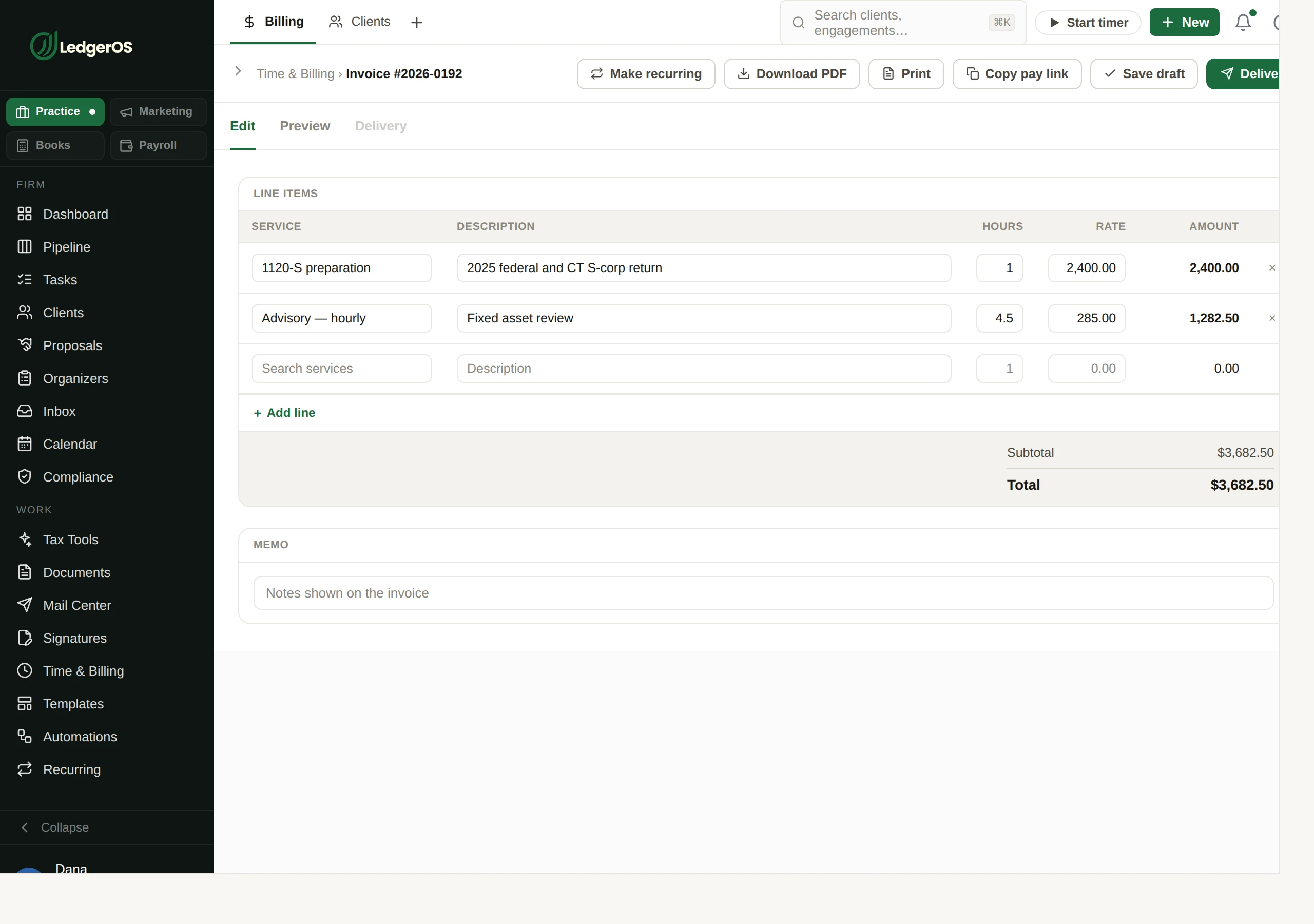
The invoice is already written

Lines come from the time that is sitting there unbilled and from your service catalog, with terms pulled from your defaults rather than retyped hopefully. What you were shown is what prints.

Building an invoice in LedgerOS from time entries and catalog services.

Paid from the portal, chased from the board

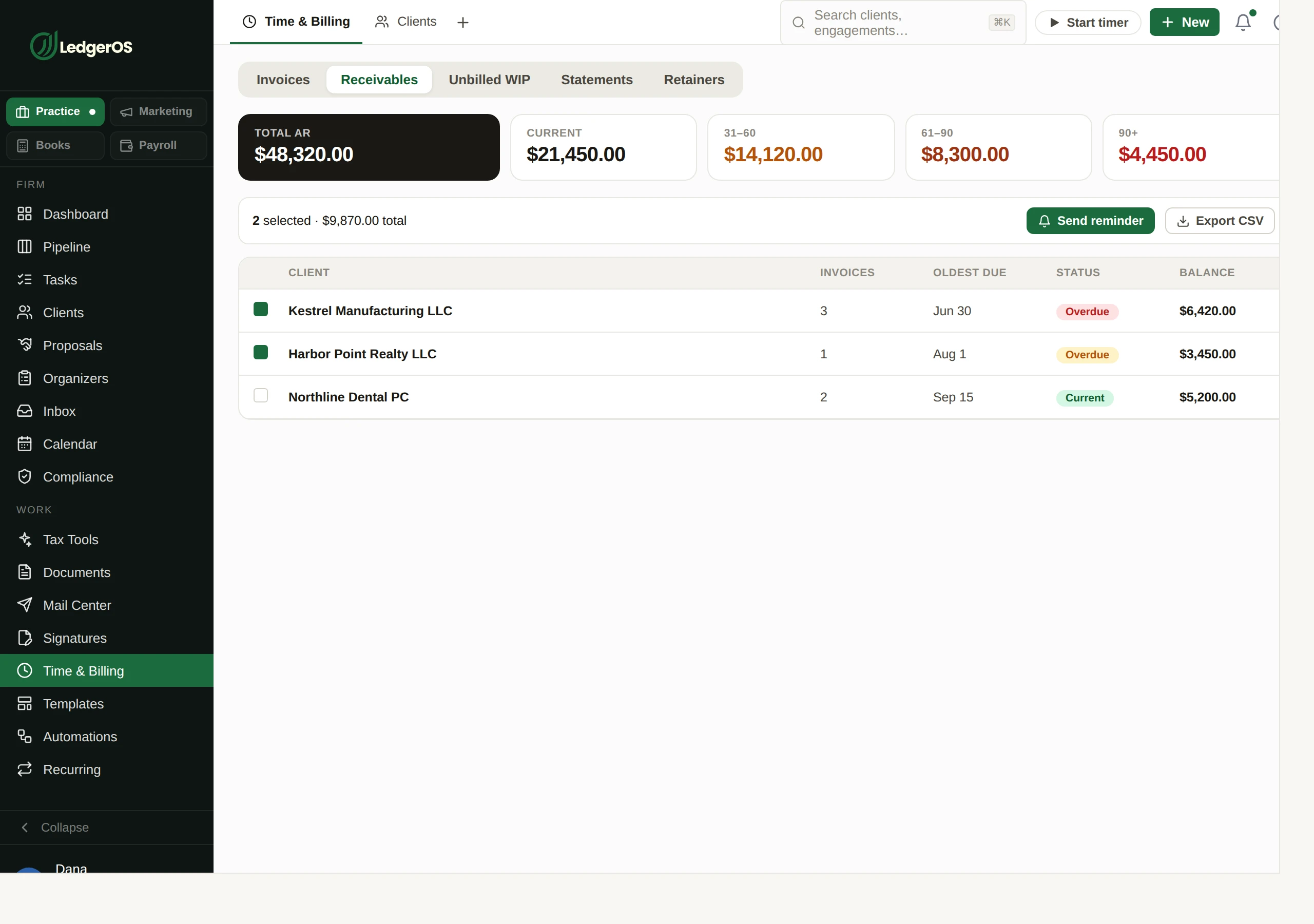
Clients pay by card or bank without calling you. Part payments and refunds sit against the invoice rather than being netted into a number nobody can explain, and the ageing tells you who is thirty days out and who is ninety.

  • Autopay, enrolled and scoped by the client — recurring invoices only, or everything
  • Recurring invoices that check delivery eligibility before a run, and say which of email, portal or mail a client is missing
  • Statements, and ACH returns surfaced back to the firm
Receivables ageing in LedgerOS, with partial payments and refunds recorded against each invoice.

QuickBooks stays right without anyone reconciling it

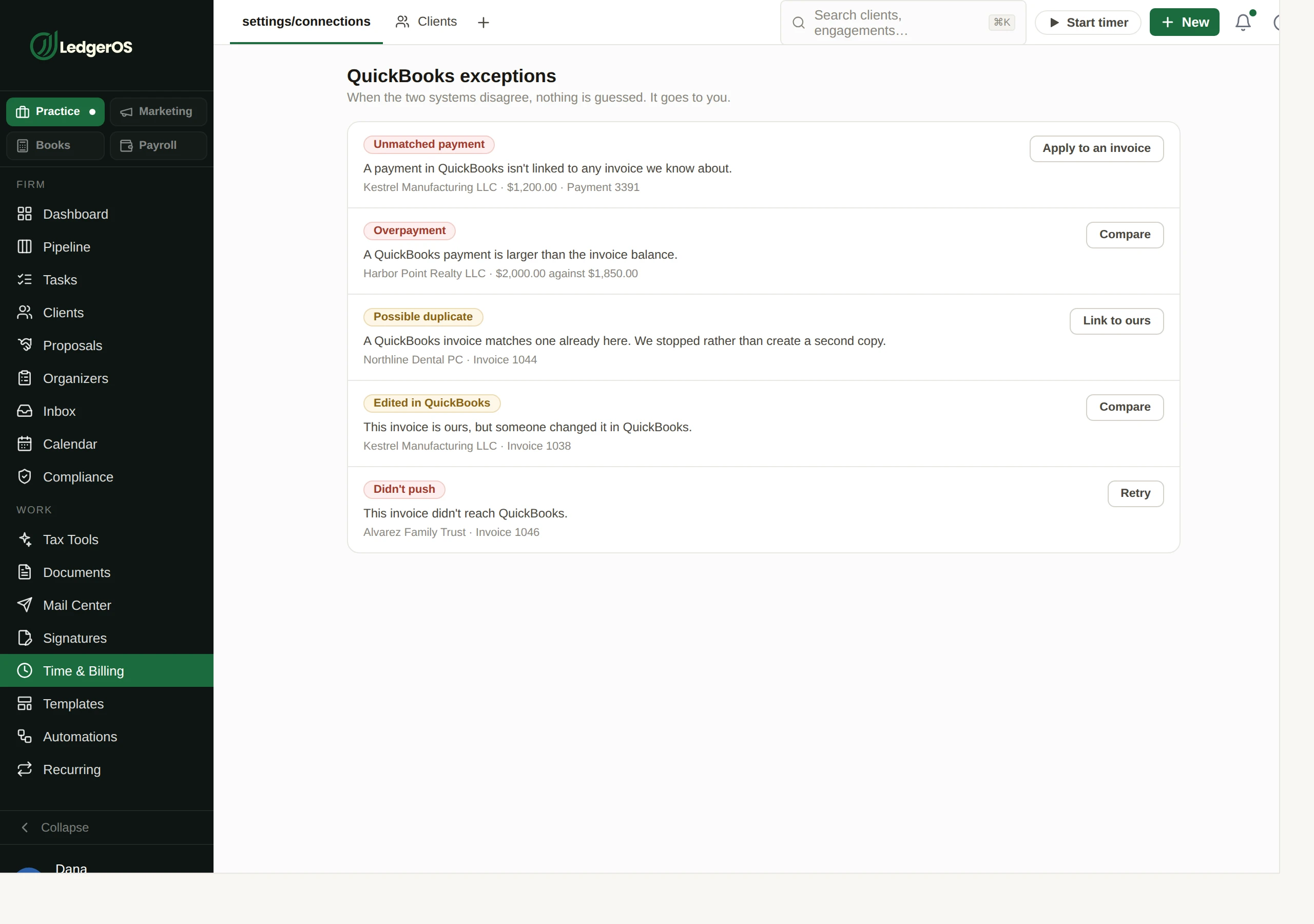
Invoices and payments go out, edits come back, and customers get matched instead of duplicated. Anything it genuinely cannot work out — an unlinked payment, an overpayment, something deleted at the other end — is listed as an exception with a decision waiting, rather than silently skipped for you to find at year end.

The QuickBooks Online sync exception list in LedgerOS, showing rows that need a decision rather than failing silently.

Two minutes inside Time & Billing

Questions

Can we bill a client who has no email?
Yes. Recurring runs check eligibility per client and tell you which channel is missing, and mail is one of the channels.
Which payment processors are supported?
Stripe or CPACharge. You connect one, not both.

Next: TemplatesWrite the letter once. The whole firm sends it right.

Read on →

Ready to retire the stack?

One plan for the whole practice — $129 per seat, every Practice module included. Start your free trial today; migration support from your current tools comes standard.

14-day free trial · No credit card required · Cancel anytime