Fewer integrations, on purpose.
Most of what other platforms integrate with, LedgerOS just does — the e-signature tool, the document archive, the research subscription and the mail house are modules here, not connections to maintain.
What is left is the handful of things that genuinely belong outside: your ledger, your money, your mailbox and your tax software.
Accounting
1QuickBooks Online
Two-way sync for invoices, payments and customers.
Settings → Connections
- Invoices and payments push from LedgerOS to QuickBooks, and changes made in QuickBooks come back
- Customers are matched and linked rather than duplicated
- Service items map to your QuickBooks items, once, per firm
- A backfill brings historical invoices across when you first connect
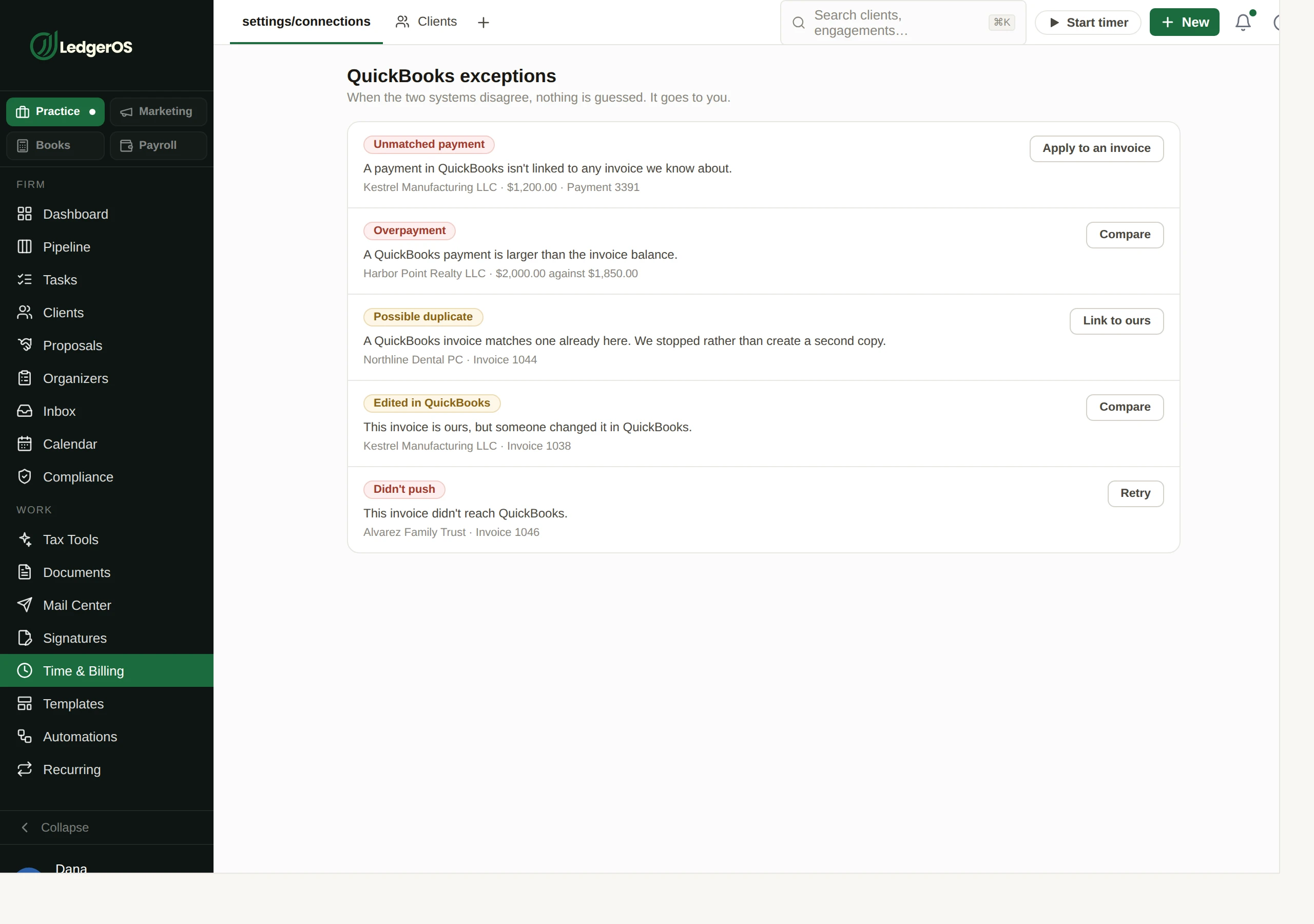
- Anything the sync cannot resolve on its own — an unlinked payment, an overpayment, something edited or deleted on the other side — becomes a listed exception with a decision to make, rather than a silent failure
Payments
2Stripe
Card and bank payments on invoices your clients can pay online.
Settings → Payments
- Clients pay an invoice from the portal, by card or bank
- Partial payments, refunds and receipts are recorded against the invoice
- Autopay runs on the same connection, scoped by the client to recurring invoices or all of them
- Payouts go to your account — LedgerOS is not in the money flow
CPACharge
The AffiniPay gateway, if that is the one your firm already runs.
Settings → Payments
- An alternative to Stripe rather than an addition — you pick one processor
- Same portal payment experience for the client either way
- ACH returns are surfaced back to the firm rather than being absorbed quietly
Communication
3Your email
Connect the mailbox you already use. Nothing is migrated.
Settings → Connections
- You keep your existing address and your existing provider
- Client mail threads against the client it concerns instead of sitting in one person’s inbox
- You choose at connection time whether the mailbox stays private or is shared with the firm
- If the connection stops, the product says so — a mailbox that has quietly stopped syncing is the failure worth catching
Your sending domain
Bulk client email goes out as your firm, not as us.
Settings → Mail defaults
- Add your domain and the DNS records to authenticate it
- Guided DNS setup writes the records for you at supported registrars
- The domain is checked before it is used, so mail is not sent from an identity that will never verify
- Client-facing email then carries your firm’s address rather than a shared sender
Your calendar
Connect your own calendar so your availability stays honest.
Settings → Appointments
- Existing commitments block out booking availability
- Appointments created in LedgerOS push back to the calendar you already live in
- Time zones follow the firm’s setting rather than each laptop’s
Documents
1Your tax software
A desktop agent files what Drake, Lacerte, ProSeries, UltraTax CS and CCH Axcess export.
Documents → Client Uploads
- Point the agent at the folders your tax software exports into
- Returns and e-file authorizations file themselves to the right client
- Identity is the folder path, so an archive organized by client stays organized
- Duplicates are caught by content hash before anything is created
- This is a one-way capture, not an API integration — it needs nothing from your tax vendor
Infrastructure
1Your own portal domain
portal.yourfirm.com, at no extra cost.
Settings → Branding & portal
- Every firm gets a free portal address immediately
- Point your own domain at it and nothing on the page names another vendor
- DNS is verified before the domain goes live, so a half-configured domain never faces a client
A sync that cannot fail quietly
The failure mode of an accounting integration is not that it breaks — it is that it half-works for six weeks and nobody notices. So anything the QuickBooks sync cannot resolve on its own becomes a row you have to decide about: an unlinked payment, an overpayment, an invoice edited or deleted on the other side, an expired token. Listed, counted, and waiting.
Why this list is short
You will see longer ones. A practice-management platform that integrates with an e-signature vendor, a document archive, a research tool and a mail house has four integrations we do not — because those are four products you are paying for separately, and here they are modules on the same seat.
We also do not publish a wall of logos. Every mark on that kind of grid reads as “supported”, and firms find out which ones meant “we can export a CSV” after they have signed. There are 8 connections listed above and each one says what it actually does.
If something you rely on is missing, tell us before you commit rather than after. We would rather lose the deal than be the reason your January does not work.
Ready to retire the stack?
One plan for the whole practice — $129 per seat, every Practice module included. Start your free trial today; migration support from your current tools comes standard.
14-day free trial · No credit card required · Cancel anytime