Documents
Work

Workpapers

Review is the last thing still running on somebody’s desktop, on one machine, in a format nobody else can open. Same tickmarks, same audit tape, same tie-outs — in a browser, on the engagement, where the second reviewer can already see them.

A workpaper binder index in LedgerOS, with references, sections and roll-forward modes per row.

What it does

  • Every engagement assembles into one bookmarked binder
  • Tickmarks, audit tape and cross-reference ties on the document itself
  • Review notes that get cleared rather than lost in an email
  • Spreadsheets tied to their source, without leaving the binder
  • Next year starts from this year, index row by index row

How it works

One binder, indexed, per engagement

Workpapers assemble into a single bookmarked PDF with proper references and sections, off an index template, so every 1120-S in the firm looks like every other one. It rebuilds itself as documents land on the work.

  • Index templates define the reference scheme and which document types belong on each row
  • Sign-off by role, with metrics on what is complete and what is stale
  • Finalizing locks the binder; a stale row is flagged rather than silently reassembled
  • Roll-forward per row: copy the file, copy and mark for update, leave a placeholder, carry instructions only, or skip
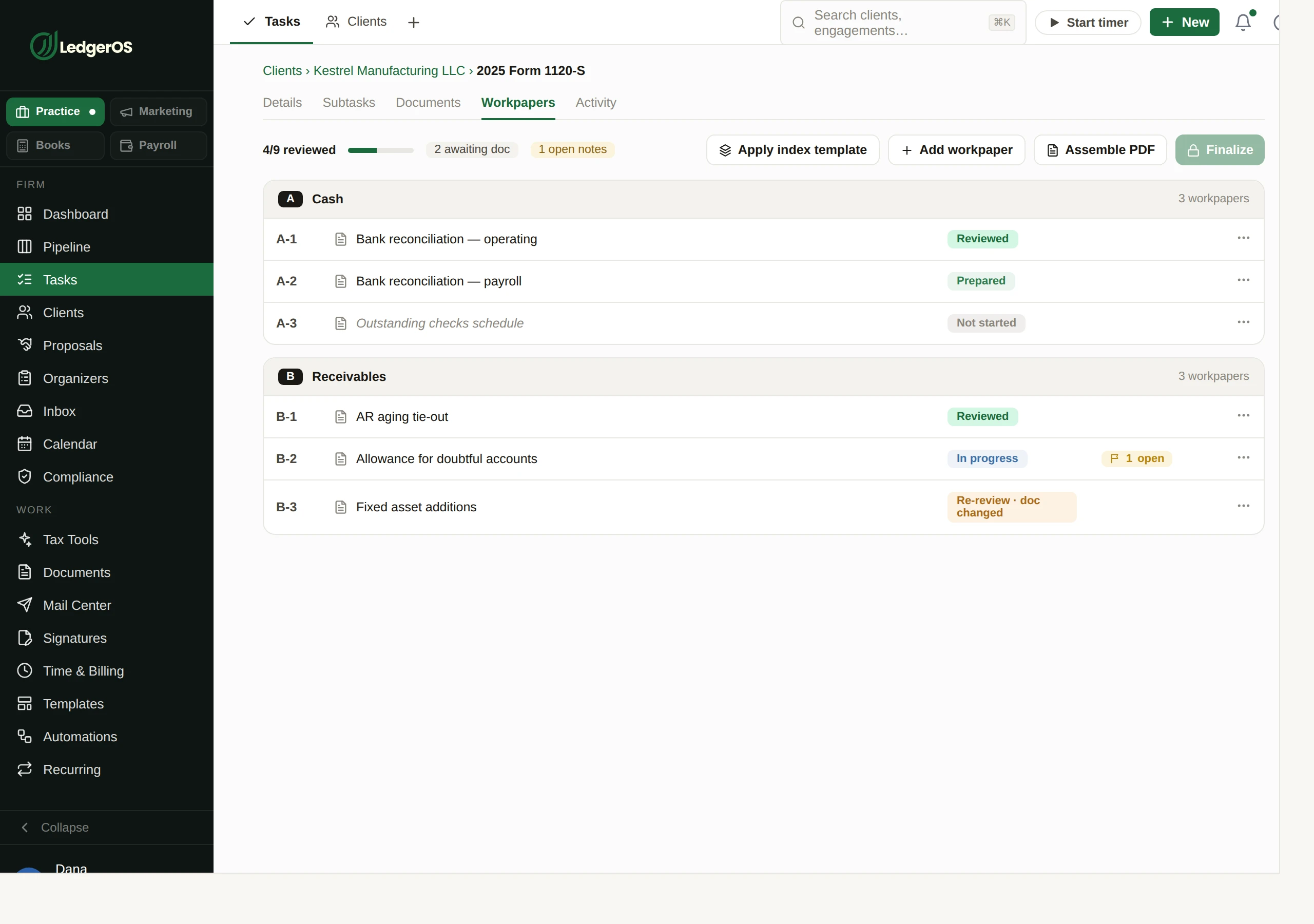
A workpaper binder index in LedgerOS, with references, sections and roll-forward modes per row.

The same review, off the one machine it was stuck on

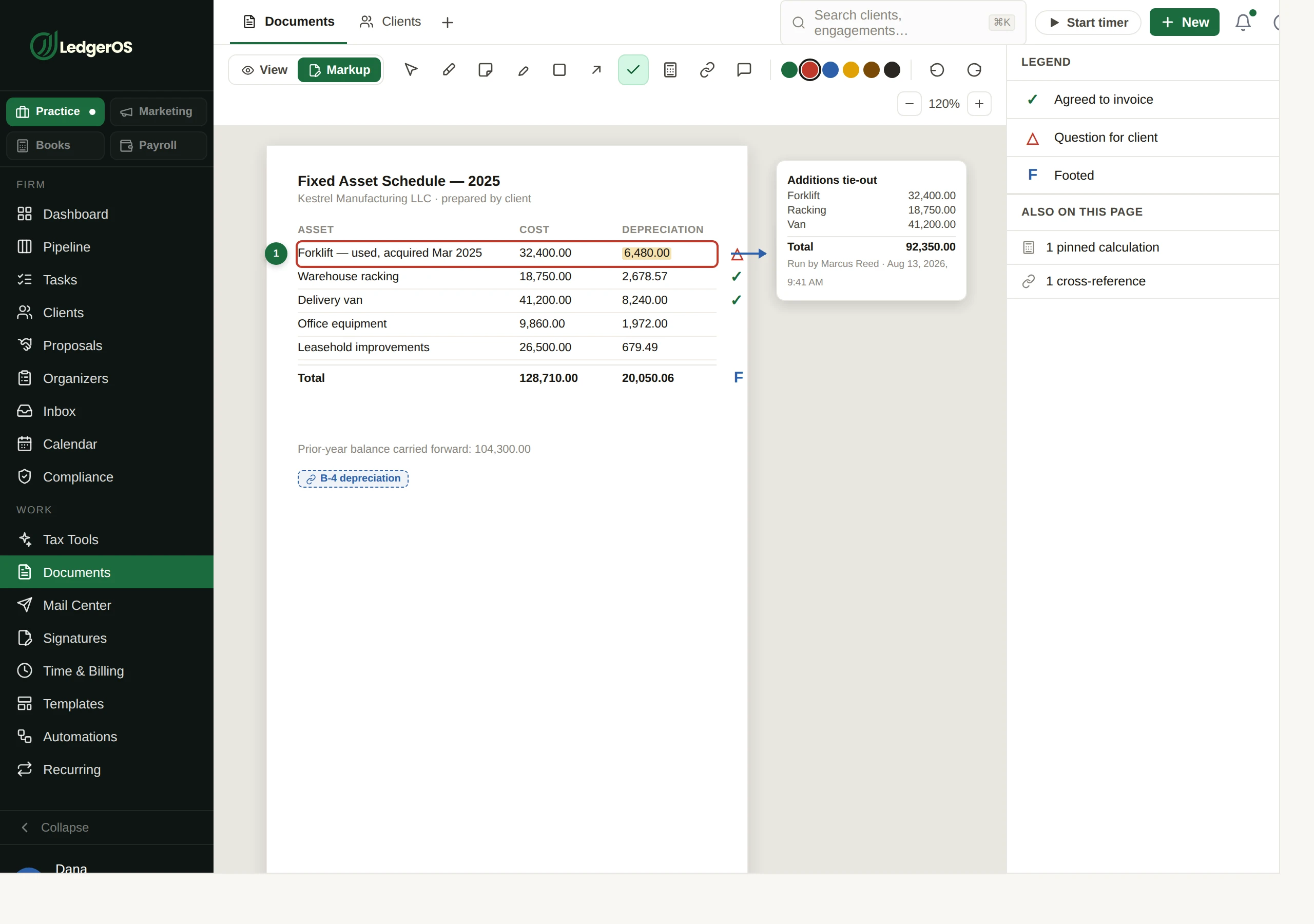
Highlights, notes, ink, boxes, arrows, comments, tickmarks, an audit tape — on the document, in a browser. Nothing to install, and no reviewer waiting for someone else to close the file.

  • Tickmark definitions are the firm’s own, so your review language carries over
  • The audit tape adds up on the page, next to what it is adding
  • A cross-reference tie links a figure to its source on another workpaper — both ends know about each other, and a tie flags when what it points at moves
  • Annotation geometry is stored against the page rather than pixel positions, so markup survives a re-render
Marking up a workpaper in LedgerOS with tickmarks, notes and an audit tape.

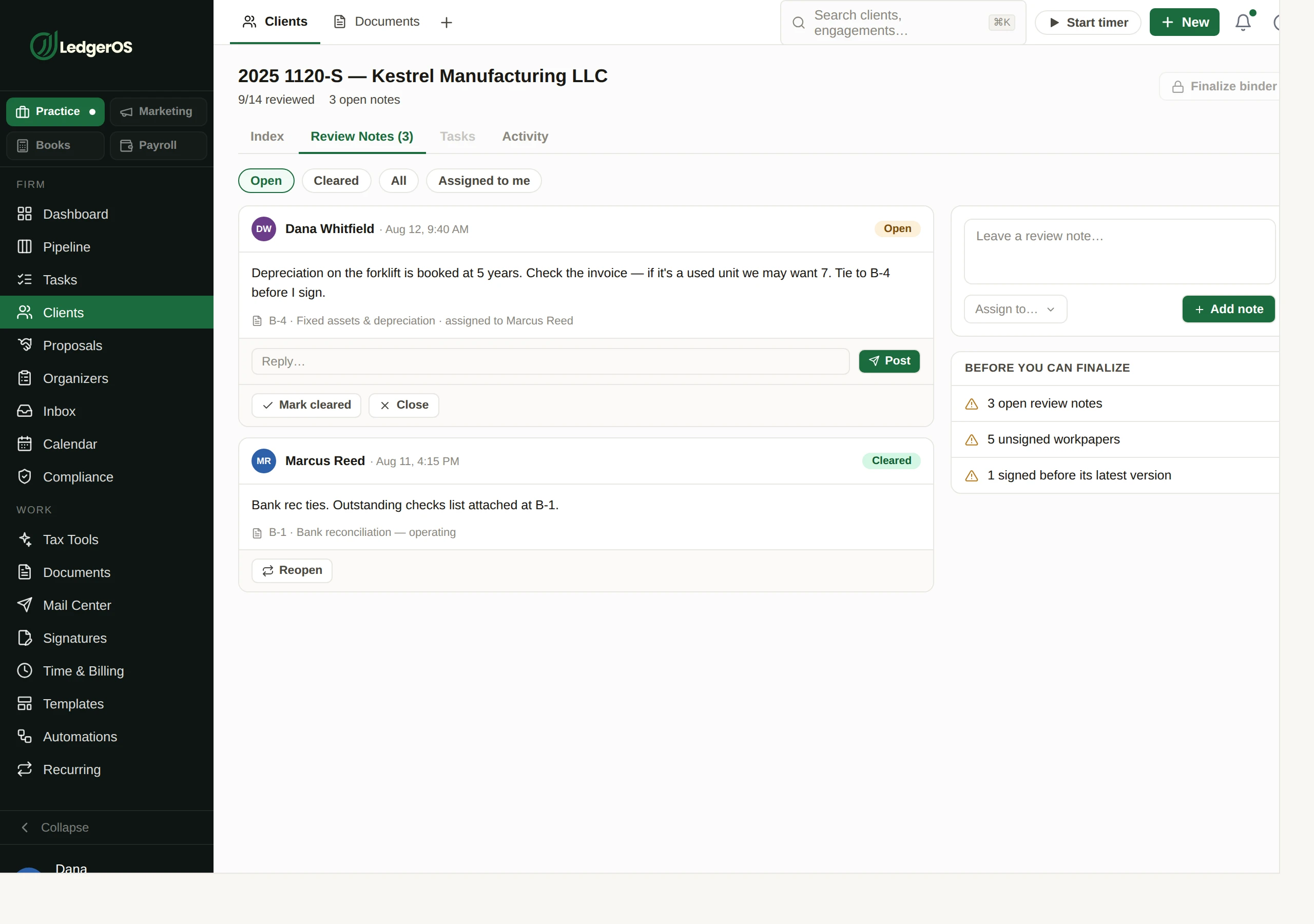
Review notes with a name against them

A note is addressed to somebody and tracked until it is cleared, rather than being a comment everyone assumes someone else is handling. They print with the file for whoever still reviews on paper.

Review notes on an engagement in LedgerOS, addressed to the preparer and tracked to clearance.

The lead schedule lives in the engagement, not on a desktop

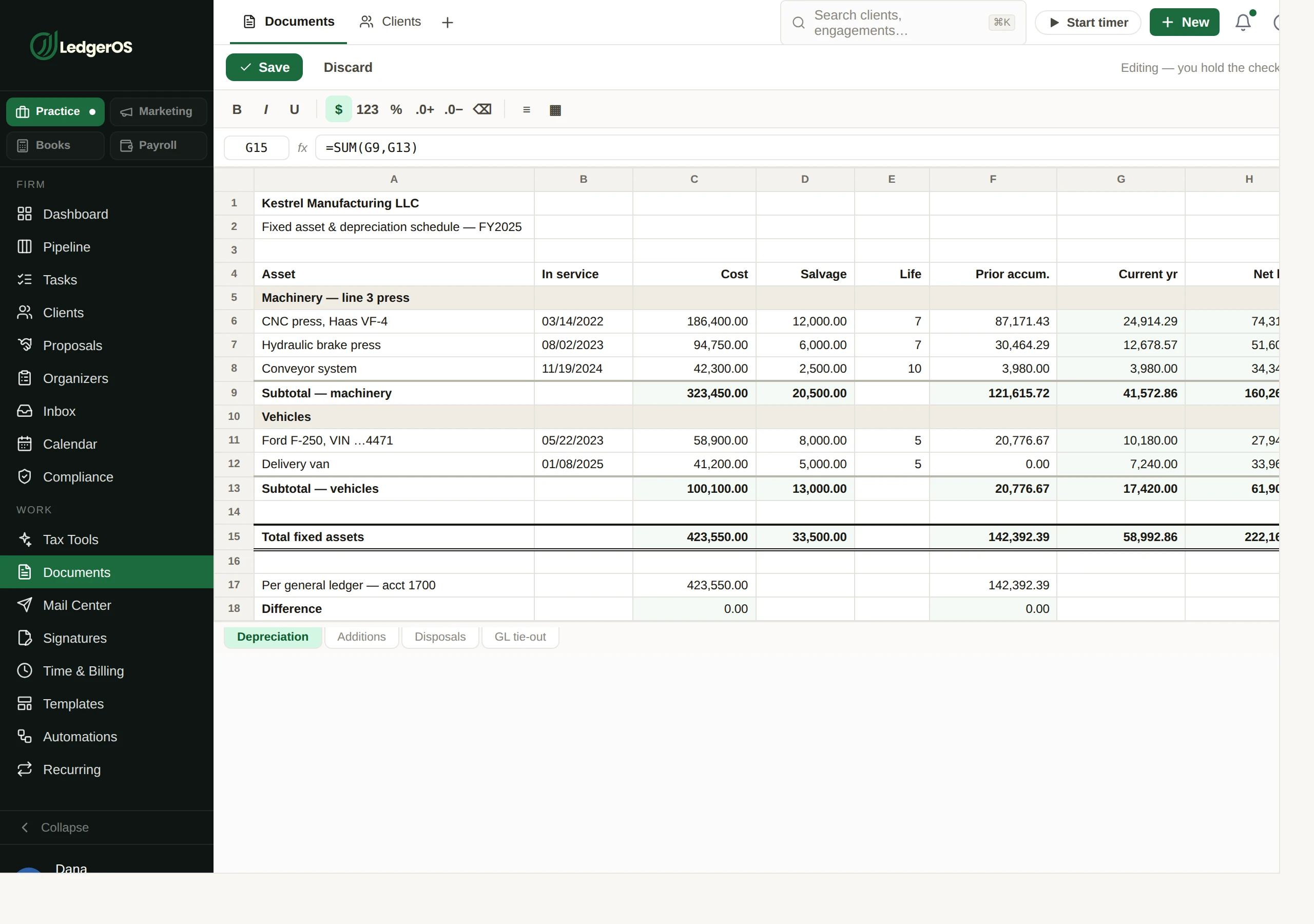
A real spreadsheet, in the browser, on the engagement. Open the client’s own .xlsx and it keeps its formulas — VLOOKUP and XLOOKUP, SUMIFS, IRR and XIRR, and the depreciation family. Every save is a version on the client record, so there is no .xlsx going round by email and nothing to hunt for next January.

A built-in workpaper spreadsheet in LedgerOS, open on an engagement with its formulas intact.

Next year starts from this year

Roll-forward is decided line by line, because the honest answer differs by line: some workpapers carry over untouched, some carry over and need updating, some are a placeholder until the client sends something, and some are just a note to whoever picks it up in January.

  • Copy the file, copy and mark for update, leave a placeholder, carry instructions only, or skip
  • The reference scheme comes with it, so last year’s binder and this year’s are navigable the same way
  • A row whose source has changed since it was carried over is flagged rather than silently trusted

A binder you signed off stays signed off

It rebuilds as documents arrive, but it leaves a finalized binder alone. A row that has gone stale gets flagged for you rather than quietly reassembled underneath a reviewer who already put their name to it.

Two minutes inside Workpapers

Questions

Can we keep our own tickmark set?
Yes. Tickmark definitions are the firm’s own, so the review language your staff already use carries over rather than being relearned.
What happens to markup when a document is re-rendered?
Annotation geometry is stored against the page rather than as pixel positions, so markup stays where it belongs.
Does a tie know when what it points at moves?
Yes. A tie is two anchors naming each other, and it flags when the thing on the far end has changed.

Next: DocumentsWhere the files a binder assembles from live.

Read on →

Ready to retire the stack?

One plan for the whole practice — $129 per seat, every Practice module included. Start your free trial today; migration support from your current tools comes standard.

14-day free trial · No credit card required · Cancel anytime