All 18 modules
Firm

Dashboard

Most software decides what your first screen of the day looks like. This one asks. Thirty-two widgets, arranged by you and saved to you — and when you log in, it opens on the tabs you were working in, not on somebody’s idea of a home page.

The LedgerOS dashboard, a board of widgets each person arranges for themselves, with a Customize button above it.

What it does

  • Thirty-two widgets — your tasks, the pipeline, WIP, receivables, deadlines, client health
  • Drag to rearrange, half width or full, remove what you never look at
  • Your layout is yours; owners can publish theirs as the firm’s starting point
  • Open on your usual tabs, on the tabs you had open last time, or on one page and nothing else

How it works

Thirty-two widgets, and you pick which

Hit Customize and the board becomes something you arrange: drag a panel where you want it, make it half width or full, throw out the ones you never look at, add the ones you do. It saves to you. Nobody else’s morning changes because you rearranged yours.

  • Work — my tasks, team tasks, overdue, engagements needing action, pipeline stages
  • Time and billing — my time this week, unbilled WIP, missing time, draft invoices, receivables, payments collected, recurring needing attention
  • Documents — doc requests, e-sign pending, awaiting payment, document inbox
  • Compliance and clients — upcoming deadlines, estimated payments, client health, new clients, recent clients
  • Firm and utility — firm activity, financials, team capacity, today, notes, quick actions, a saved view, announcements
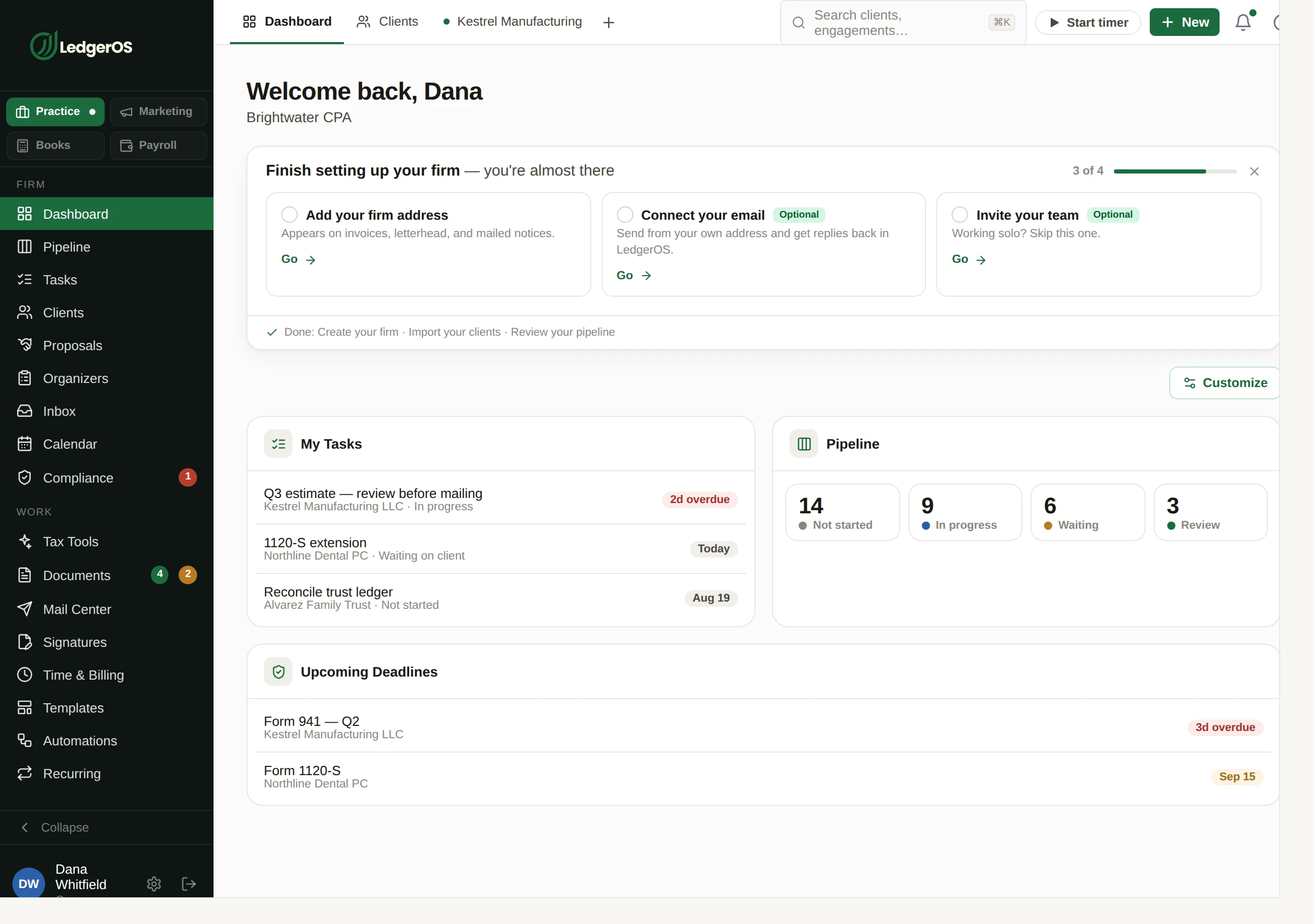
The LedgerOS dashboard, a board of widgets each person arranges for themselves, with a Customize button above it.

Down to how many rows each one shows

A list widget can show three rows or twenty, so a long receivables queue does not shove everything else off the screen. The pipeline widget takes whichever boards you care about — the bookkeeping lead watches bookkeeping and nothing else.

Set the firm’s starting point once

Arrange a board you would want a new hire to see, publish it as the firm default, and that is where everyone who has not built their own begins. They can still make it theirs, and Reset takes them back.

  • Your layout wins, then the firm default, then the sensible default for your role
  • Owner-only widgets — firm financials, team capacity, client health — never appear on a staff board
  • Everyone sees the firm’s real numbers, filtered by what their permissions allow

And it opens where you actually work

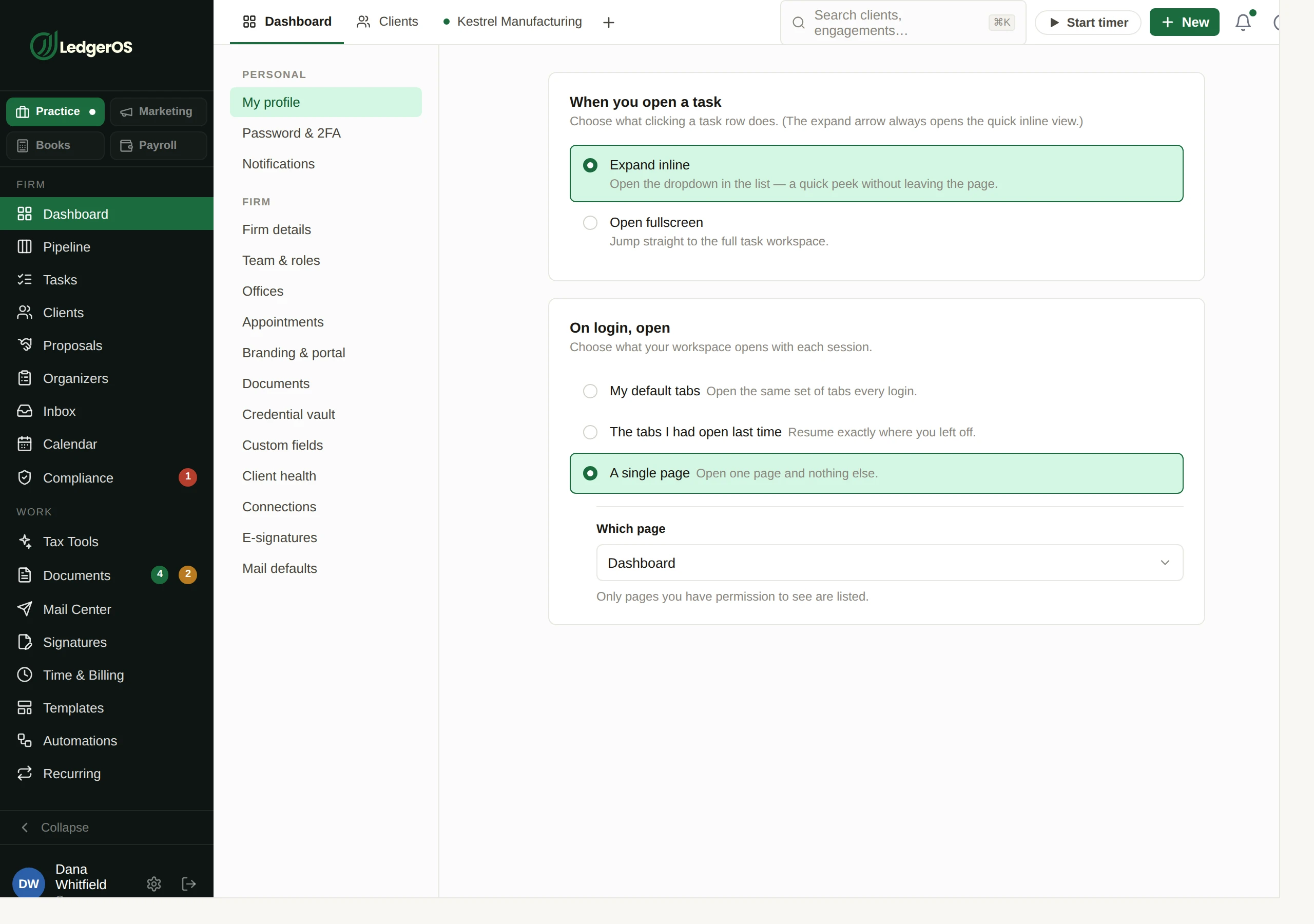
LedgerOS is tabbed, and Monday morning is yours to set. Open the same working set every time, pick up exactly the tabs you had open last time, or go straight to one page and nothing else — including a particular client’s workspace, if that is where you live.

  • My default tabs — the same set every login, reorderable, and each one can be pinned
  • The tabs I had open last time — resume where you left off
  • A single page — any page you have permission to see, or one client’s workspace
  • A pinned tab keeps its name when the strip is full and stays on the page you pinned it to
The "On login, open" setting in LedgerOS: open your default tabs, resume the tabs you had open last time, or open a single page.

It tells a new firm what is still missing

Firm address, mailbox connected, team invited — the setup band names what is left with a link into each, and dismisses when you are done instead of nagging forever.

And you choose what is allowed to interrupt you

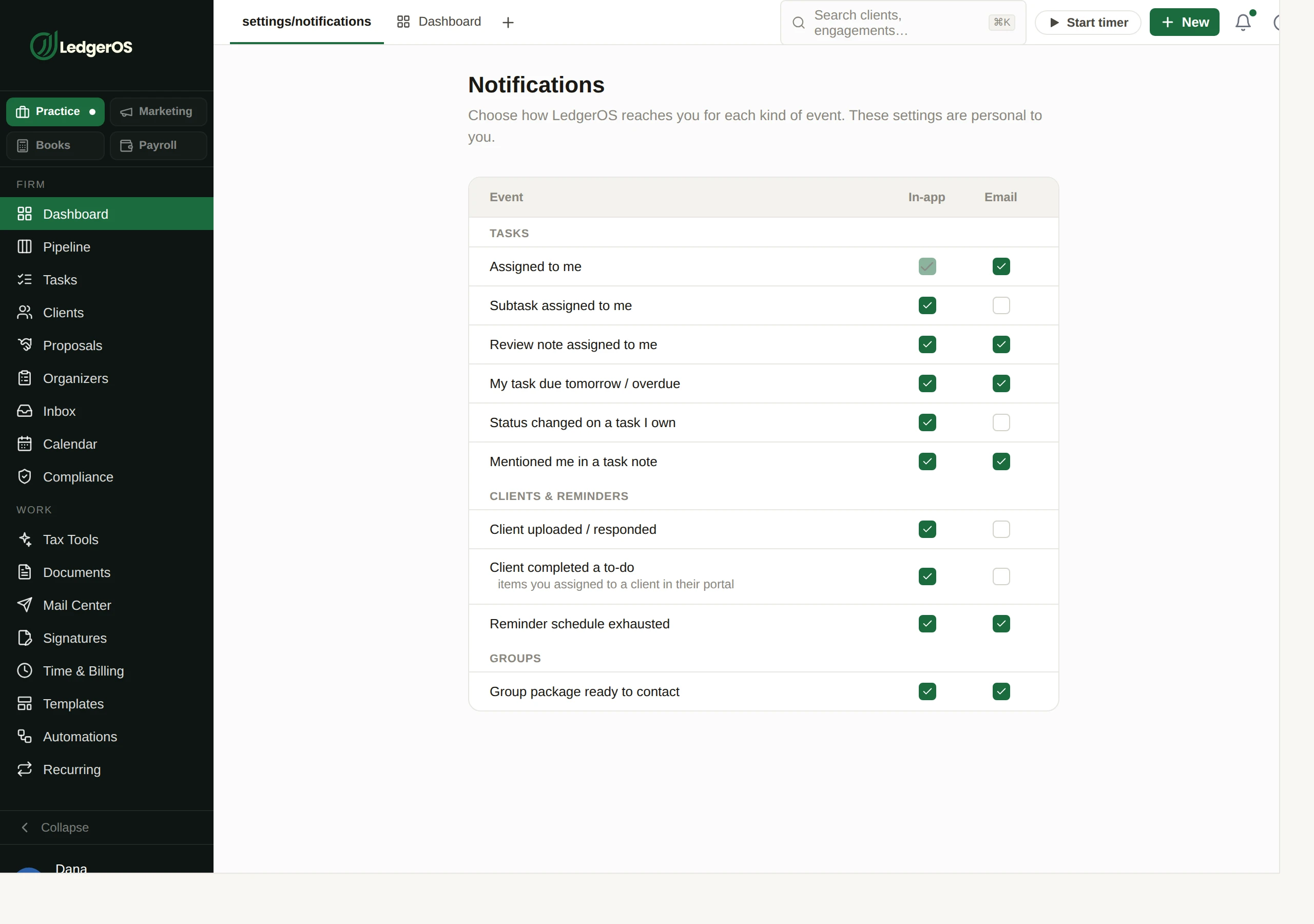
Notifications are a grid, not a switch. Work, clients, money, documents — each one set per person and per channel, so a partner who wants to hear about money and nothing about tasks gets exactly that.

  • In-app, email, and a digest, chosen per event kind
  • A digest for the things worth knowing but not worth interrupting for
  • The bell carries only what you asked to be told about
The notification matrix in LedgerOS, where each person chooses what they are told about and how.

Questions

Can I set one board for the whole firm?
An owner or admin can publish their layout as the firm default, which is what everyone who has not customized their own will see. It is a starting point rather than a lock — anyone can rearrange from there.
Does everyone see the same numbers?
Everyone sees the firm’s real numbers, filtered by what their permissions allow. A preparer without billing access does not get a receivables widget, and the owner-only widgets are not in their palette at all.
Can I open straight into a client instead of the dashboard?
Yes. Set "On login, open" to a single page and choose that client’s workspace. If you would rather come back to a working set, pick your default tabs or resume the tabs you had open last time.

Next: PipelineWhere every return is, without asking anyone.

Read on →

Ready to retire the stack?

One plan for the whole practice — $129 per seat, every Practice module included. Start your free trial today; migration support from your current tools comes standard.

14-day free trial · No credit card required · Cancel anytime