All 18 modules
Work

Signatures

Signing is the last mile of the return, and for most firms it runs through a separate product with its own login, its own bill and its own idea of who the signer is. Here the signers are your contacts, the forms are ones it already knows, and the executed copy files itself.

Preparing a document for e-signature in LedgerOS, with signature and date fields placed on the page.

What it does

  • Signers come from the practice’s own contacts, never read off the PDF
  • 8879s, engagement letters and the forms it already recognizes
  • A printed set captured and named page by page, so nothing goes out mislabeled
  • A spouse drops off every form automatically on a non-joint return
  • The signed copy files itself back to the client, locked

How it works

It knows a 1040 has two signers, and when it does not

Who signs comes from the client’s contacts, not from names scraped off the document. A spouse is on it for a joint return and drops off every form in the packet when it is not. That is the whole difference between an e-signature tool and an e-signature tool that knows what it is sending.
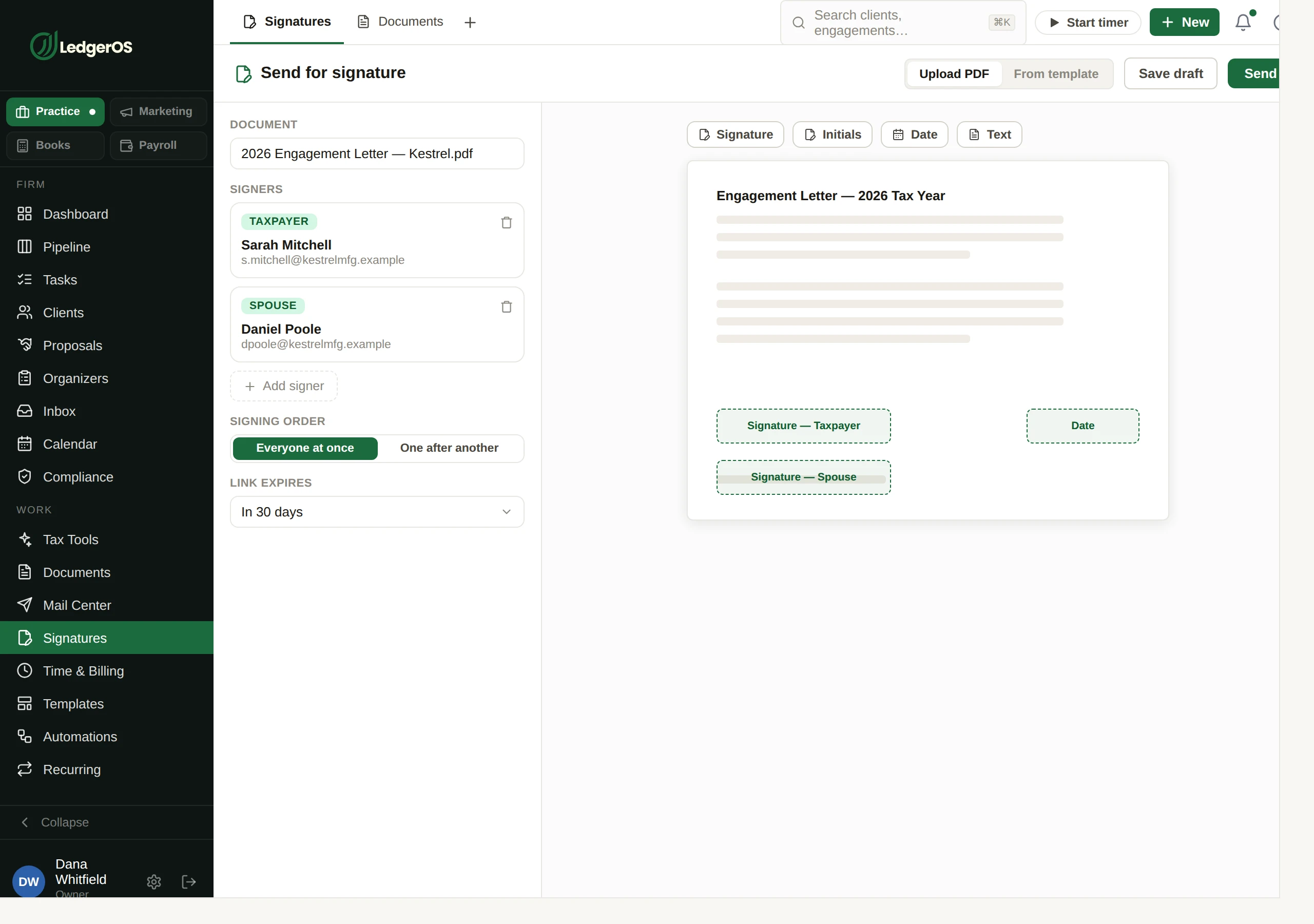
Preparing a document for e-signature in LedgerOS, with signature and date fields placed on the page.

The 8879 arrives already laid out

It recognizes Form 8879 and its state equivalents and knows where the signature and date boxes go, so nobody spends the first week of the season dragging fields onto forms they dragged them onto last year.

A stack of scans, sorted before you look at it

Scan a printed set in and it names which form is on each page and how sure it is. It does not place a field, read a figure or send anything. Where it was unsure it says so, so the one page worth checking is the one you check.

They never sign last week’s figures

If a newer version turns up while a request is out, replacing it voids the live one and sends a fresh packet. Because the client may already be part-way through, it takes a deliberate action and the override lands on the audit trail.

The signed copy puts itself away

It goes back to the client record, locked. If someone reprints over it later that is a conflict to resolve, not a quiet overwrite of the document a client actually signed.

Two minutes inside Signatures

Questions

Do clients need an account to sign?
No. Signing runs from a link with an expiry you set, on a phone if that is what they have.
Can we send to several signers in order?
Yes — everyone at once, or one after another.
Is KBA included?
No. E-signature is in the seat; the IRS-compliant identity check is charged per verification.

Next: Time & BillingFrom the timer to the deposit, without rekeying anything.

Read on →

Ready to retire the stack?

One plan for the whole practice — $129 per seat, every Practice module included. Start your free trial today; migration support from your current tools comes standard.

14-day free trial · No credit card required · Cancel anytime